
Turn your matchmaking experience into a structured digital workflow.
Move beyond scattered spreadsheets, biodata files and WhatsApp threads. MBN gives approved bureaus one professional workspace for profile creation, search, assignments and follow-up records.
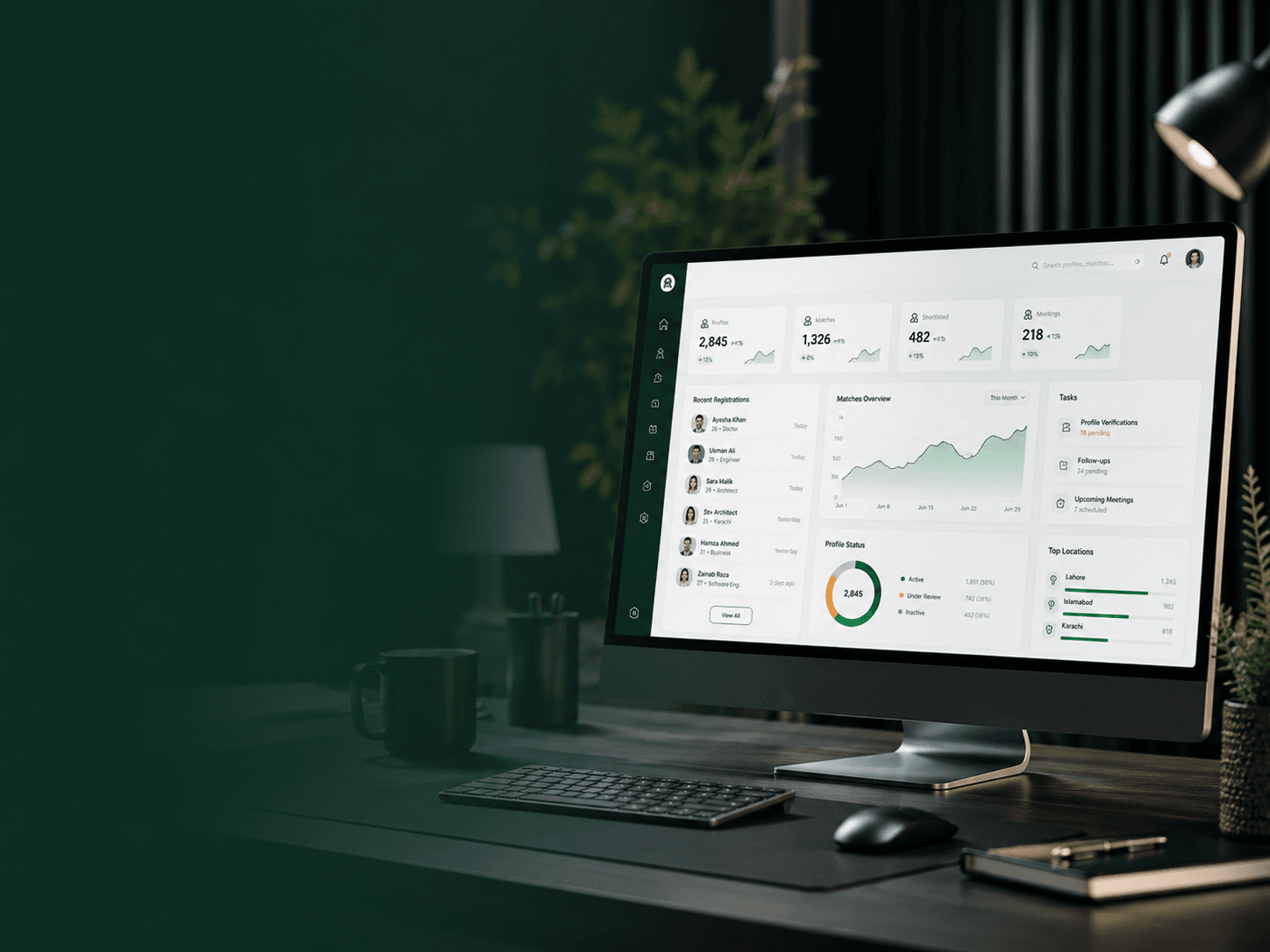
Professional workflow
Profile intake
Guided
Network search
Organised
Assigned cases
Trackable
Your judgement stays central. The platform improves the system around it.
Follow-up history
Record notes, work status and next actions so important progress is not lost across staff members or conversations.
Approval-based access
Bureau applications and professional details are reviewed before access is considered.
Structured profile data
Bride and groom information is captured in consistent searchable fields.
Purpose-limited contact
Contact access remains separate from open profile information and can be recorded.
Professional accountability
Assignments, notes and follow-ups can stay connected to each case.
Your expertise deserves a better operating system
Experienced matchmakers already understand families and compatibility. The problem is often the fragmented system around that work. MBN is designed to organise the process without replacing professional judgement.
The scattered way
The MBN workflow
Designed for the work you do every day
The dashboard supports the operational side of matchmaking so your time can remain focused on assessment, communication and family coordination.
Premium profile intake
Add profiles through the same section-by-section questionnaire used across MBN, with consistent personal, family, career and preference fields.
Organised profile library
Keep the bureau’s own bride and groom profiles in one structured workspace instead of disconnected files and messages.
Relevant profile search
Use available filters such as gender, age, city, education, profession and keywords to identify potentially relevant profiles.
Assigned public cases
Work on reviewed profiles assigned through the MBN process and keep their status connected to the relevant case.
Contact accountability
Keep phone and WhatsApp information separate from general profile browsing while contact-view activity can be logged.
Follow-up history
Record notes, work status and next actions so important progress is not lost across staff members or conversations.
A professional journey with clear access stages
Submitting an application does not create immediate dashboard access. The bureau first provides verification information for review.
Start Bureau ApplicationComplete the bureau questionnaire
Provide applicant identity, bureau background, service reach, professional practices, references and relevant online presence.
Upload private verification documents
Submit identity document images and, where available, business proof, office evidence, business card or letterhead.
Application enters review
MBN reviews the submitted information and may request clarification, additional evidence or a professional discussion.
Receive account activation instructions
An approved bureau can be invited to activate its account and open the professional dashboard.
Create, search and manage profiles
Use structured forms, available filters and organised profile views for the bureau’s day-to-day work.
Record responsible follow-up
Manage assignments, notes, work status and next actions while respecting privacy and purpose-limited use of information.
Structure the full profile lifecycle
A professional bureau needs more than a contact directory. MBN connects profile creation, discovery and case activity so the bureau can understand what happened and what should happen next.
Profile management
Add, review, edit and organise the bureau’s own profiles using consistent information fields.
Search and assessment
Narrow the available information before applying the matchmaker’s own experience and family knowledge.
Case workflow
Keep assigned profiles, contact activity and follow-up information connected to the case.
Case workflow snapshot
MBN-CASE-••••
What a bureau should be prepared to demonstrate
The network is intended for serious matrimonial professionals. Verification should consider identity, genuine operations, professional conduct and the way personal information is handled.
Applicant identity
Legal name, role, phone, professional email and CNIC, NICOP or passport details.
Bureau credibility
Business history, office arrangement, service areas, profile volume and any available registration evidence.
Professional practices
How the bureau obtains consent, verifies profiles, handles photos, responds to complaints and explains fees.
References and conduct
Relevant references, memberships or other evidence that helps the review team understand the bureau’s standing.
Network access comes with responsibility
Profile information belongs to real people and families. Every approved bureau should use it only for legitimate matrimonial work and within the platform’s permissions.
Best suited to serious, process-minded professionals
A strong fit if you
Not intended for
Understand the membership process before applying
No. The application is reviewed first. Account activation should only be offered after approval and any required verification steps are complete.
The form supports identity document front and back, business registration or tax proof, office photo, business card or letterhead. Requirements may vary according to the bureau’s structure and available evidence.
Yes. Approved bureaus can add profiles through the structured questionnaire. The bureau should have permission from the candidate or family before submitting personal information and photos.
No. The platform organises profiles, search and follow-up. Suitability assessment, respectful communication and professional judgement remain the responsibility of the bureau and families.
No. Information should only be used for legitimate matrimonial work, according to platform permissions, candidate consent and applicable privacy obligations.
Bring your experience into a structured network.
Complete the verification questionnaire and show the MBN team how your bureau works, serves families and protects personal information.